
Free XLSX template
Deposit Tracker
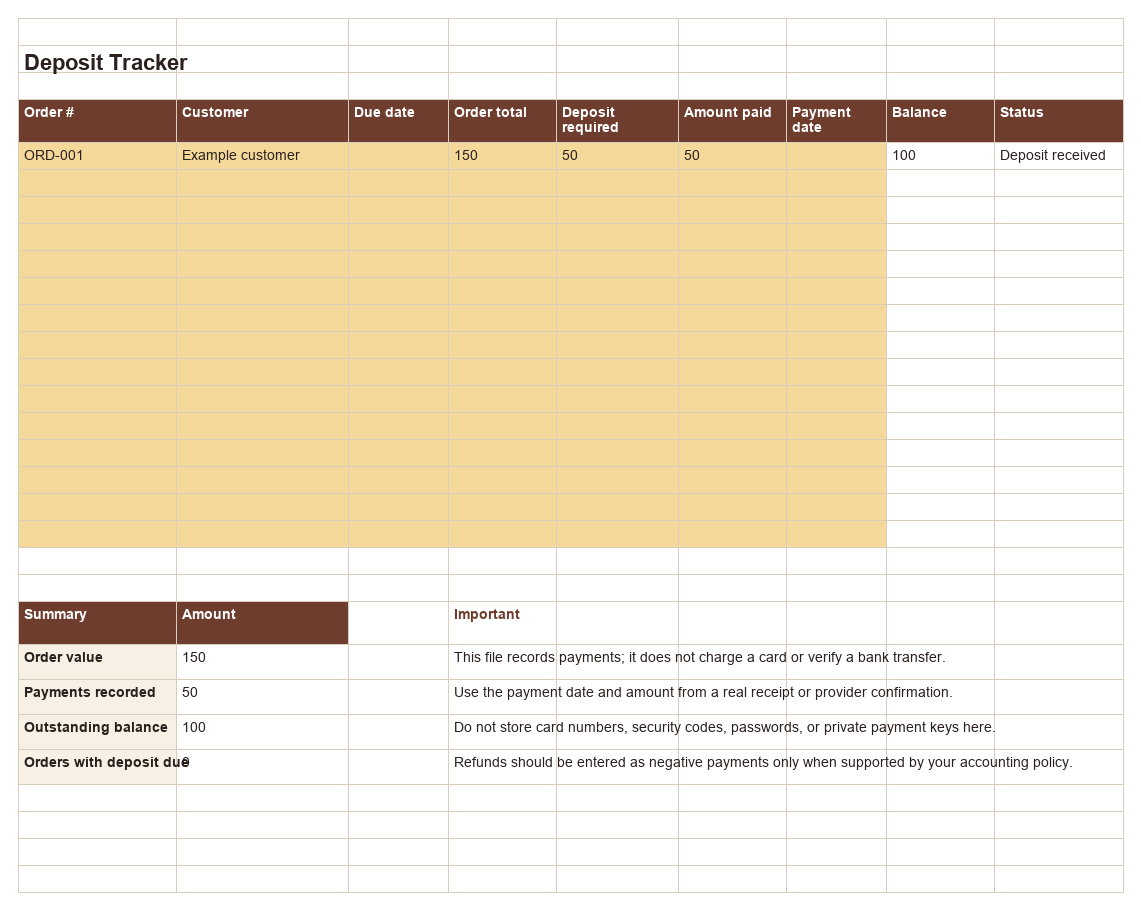
Track order value, the required deposit, manually recorded payments, outstanding balance, and deposit status.
What is included
- 15 order rows
- Automatic balances
- Deposit status
- Portfolio totals
How to use it
- Replace the sample order with your order number, customer, due date, total, and deposit requirement.
- Record actual net payments and their dates; enter refunds as negative amounts in your records.
- Review balance, deposit status, and summary totals against the payment provider.
Example calculation
Deposit status: $240 order; $96 required; $100 received → Deposit received; $140 remains. Illustrative only; replace every example row before real use.
Formula assumptions and limits
- Balance is order total minus the manually recorded amount paid; status compares that amount with deposit required.
- The workbook is a ledger aid, not payment processing or provider settlement verification.
File and compatibility
Format: Microsoft Excel workbook (.xlsx). Microsoft Excel, LibreOffice Calc, or import into Google Sheets.
License
Free for your bakery's internal business use. Do not resell or redistribute the unchanged file.
Data note
The downloaded file stays on your device and is separate from your online workspace; edits do not sync between them. Bake Pricing does not receive values entered into the file. Financial results depend on your inputs. Keep backups and remove example rows before real use.
Download Deposit Tracker← All templates